
AI
Self-hosted AFFiNE supports AI through Bring Your Own Key (BYOK). Add provider credentials to the workspace that will use them; do not put provider API keys or model overrides in the server configuration.
Enable AI BYOK
The recommended config/config.json enables AI and BYOK:
After changing the file, run docker compose up -d.
Add a provider key
-
Open the workspace.
-
Go to Settings → Integrations → AI BYOK.
-
Select Add key.
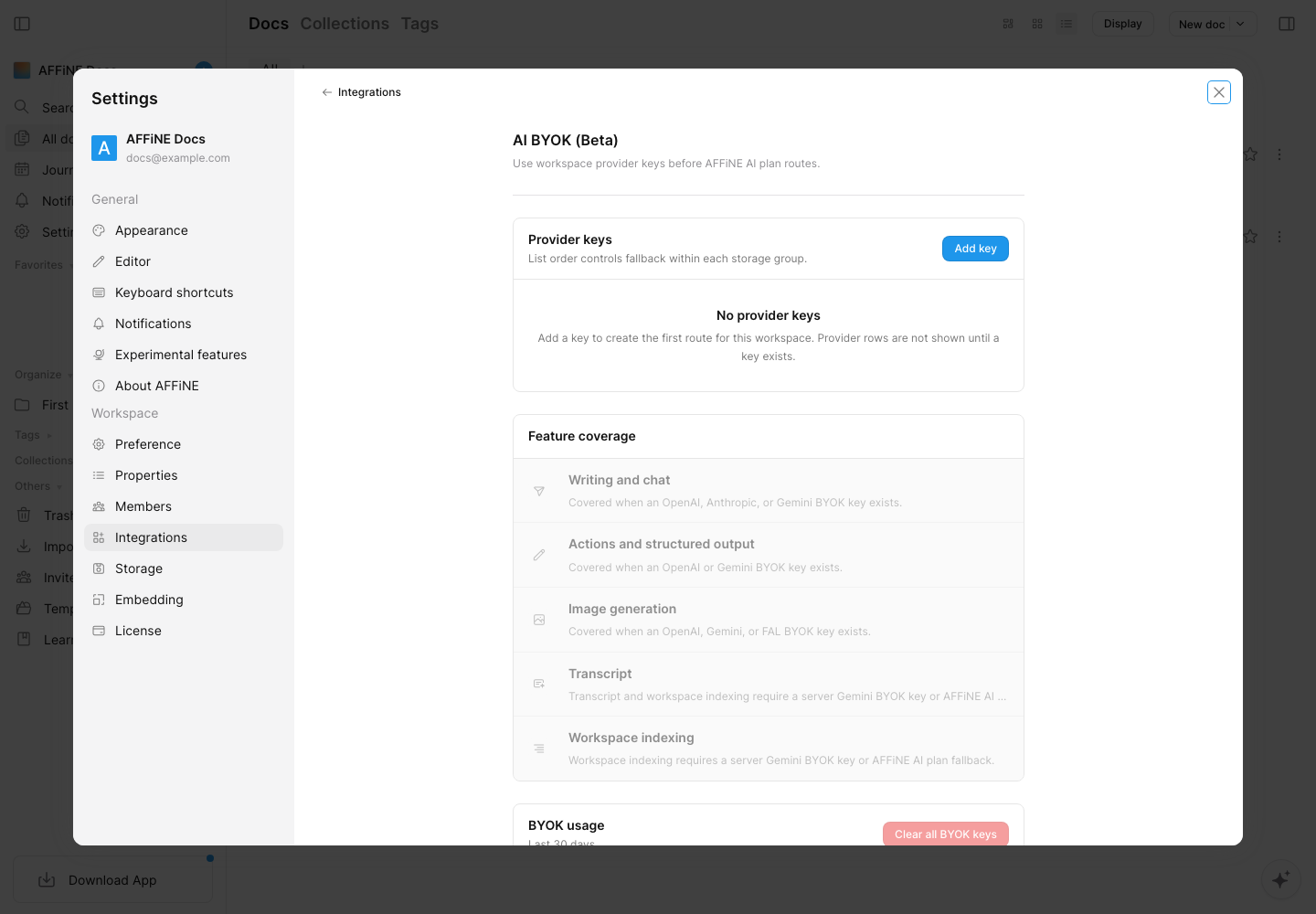
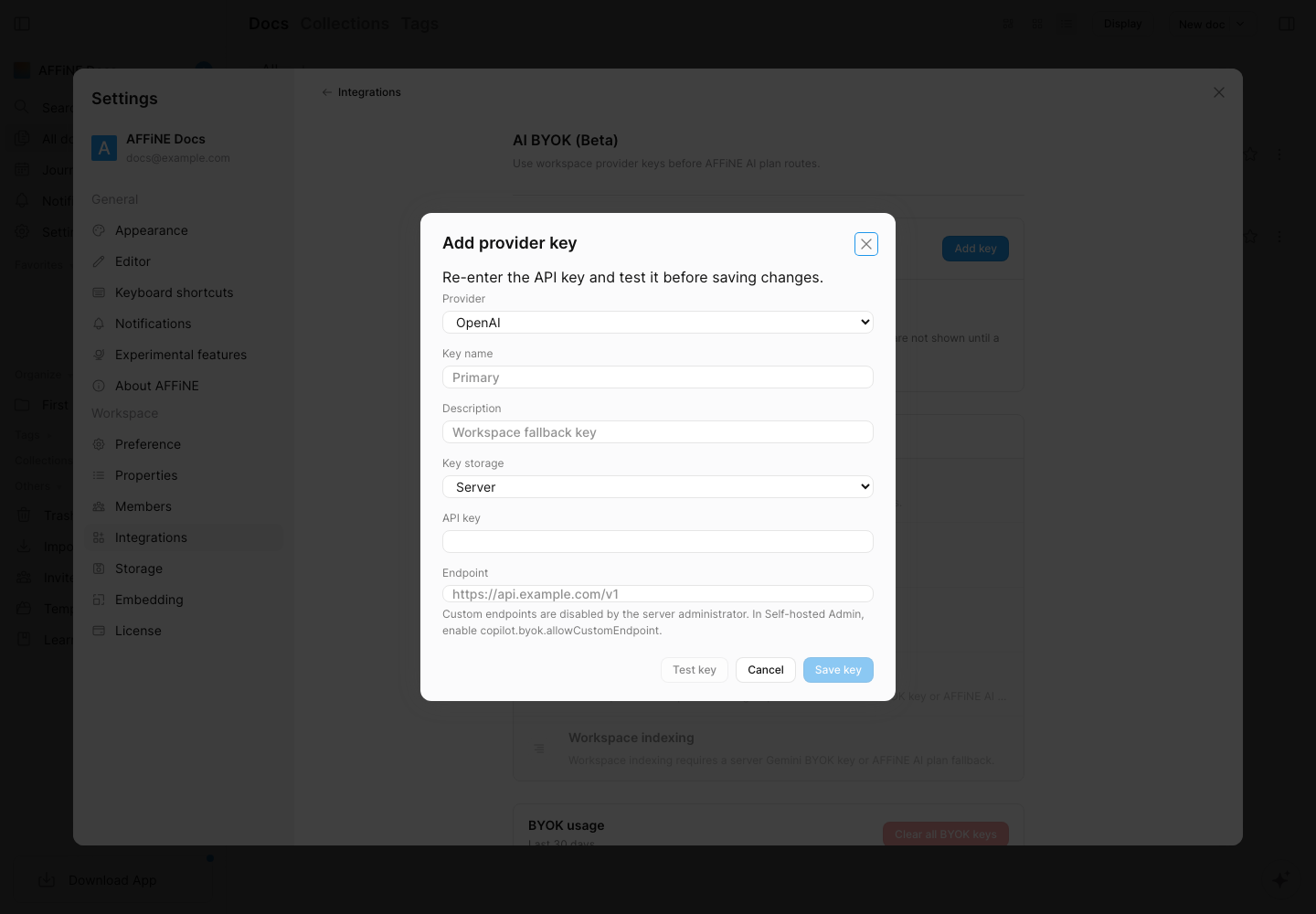
Choose a provider, give the key a recognizable name, and enter its API key. AFFiNE currently offers BYOK routes for OpenAI, Anthropic, Gemini, and FAL.
-
Server storage is recommended for self-hosted web access and use across devices.
-
Local storage is available only in the desktop app on that device.
-
Select Test key before saving.
-
When more than one key exists, their list order controls fallback within each storage group.
Feature coverage
-
Writing and chat require an OpenAI, Anthropic, or Gemini key.
-
Actions and structured output require an OpenAI or Gemini key.
-
Image generation requires an OpenAI, Gemini, or FAL key.
-
Transcription and workspace indexing require a server-stored Gemini BYOK key, or an AFFiNE AI plan fallback where available.
The current official Compose file already uses PostgreSQL with pgvector. Do not replace the PostgreSQL image solely to enable AI. Workspace indexing also depends on the indexer being enabled and available in your deployment.
Optional custom endpoints
Official provider endpoints work without additional configuration. To allow OpenAI-compatible or other custom endpoints, a server administrator must explicitly enable them:
Keep allowPrivateEndpoint disabled unless every workspace administrator is trusted to direct provider requests to services on the private network.
Provider behavior and supported models can change. Test the key in the BYOK dialog and prefer the provider's official endpoint before troubleshooting model compatibility.